Remove Duplicate Lines
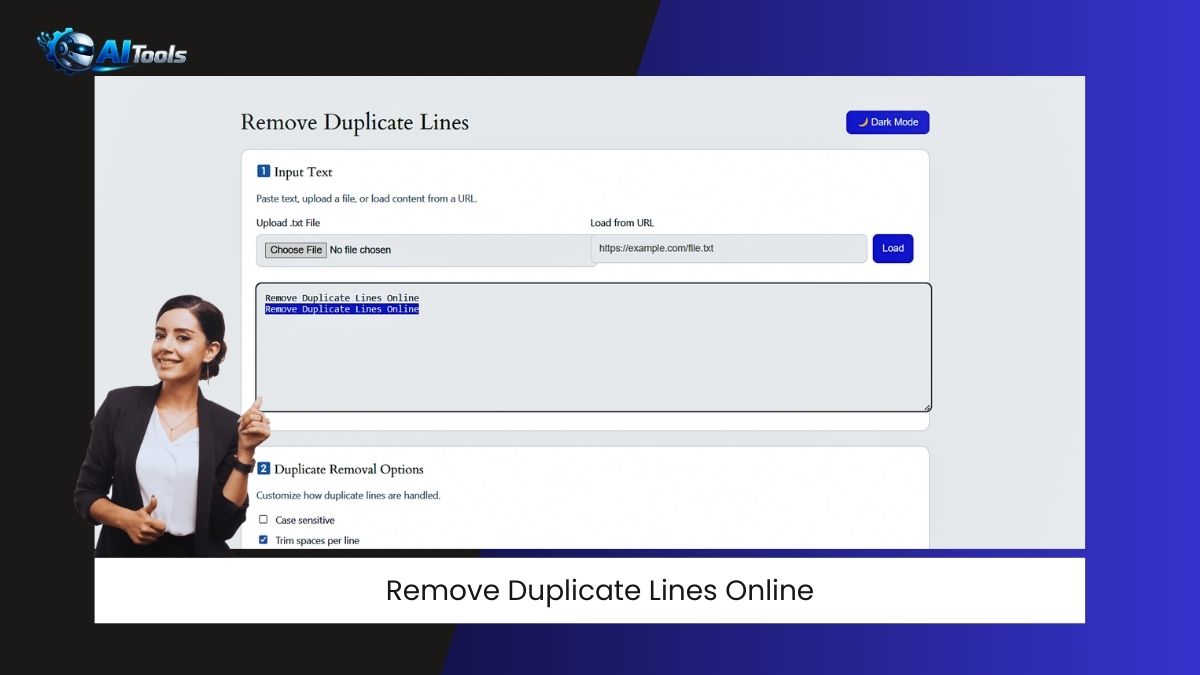
1️⃣ Input Text
Paste text, upload a file, or load content from a URL.
2️⃣ Duplicate Removal Options
Customize how duplicate lines are handled.
3️⃣ Process & Download
Remove duplicate lines and export clean text.
Why Use Remove Duplicate Lines Tool?
Duplicate lines can cause errors in SEO lists, coding data, logs, and keyword files. This tool removes them instantly.
How to Use This Tool?
Step 1: Enter or load text.
Step 2: Choose options.
Step 3: Click Remove Duplicates.
Step 4: Copy or download results.
Where Is This Tool Useful?
SEO keyword lists, URL cleanup, programming data, log files, content editing.
Frequently Asked Questions
Does it keep line order?
Yes, when “Keep original order” is enabled.
Is my data stored?
No. Everything runs locally in your browser.