Mbps Vs MegaBytes Per Second | Mbps vs MBps: The Ultimate Guide to Understanding Internet Speed Units (2026 Updated)
Mbps Vs MegaBytes Per Second : In today’s digital world, internet speed is everything. Whether you’re streaming 4K movies on Netflix, downloading large game files on Steam, attending Zoom meetings, or just browsing social media, you’ve probably noticed terms like “Mbps” on your broadband bill and “MB/s” in your download manager. These two look almost identical, but they are not the same — and mixing them up is one of the most common reasons people feel their internet is “slower than advertised.”
This comprehensive guide clears up the confusion once and for all. We’ll explain the exact difference between Mbps (megabits per second) and MBps (megabytes per second), show you how to convert between them, reveal why internet providers use Mbps, and help you understand what real-world speeds you actually need for gaming, streaming, working from home, and more. By the end, you’ll be able to read your internet plan like a pro and choose the best broadband package for your needs.
What Does Mbps Mean?
Mbps stands for megabits per second. It is the standard unit used by virtually every internet service provider (ISP) worldwide to advertise connection speeds.
- A bit is the smallest unit of digital information — either a 0 or a 1.
- A mega means one million.
- So 1 Mbps = 1,000,000 bits per second (using the decimal definition most ISPs follow).
When your provider promises “100 Mbps internet” or “1 Gbps fiber optic broadband,” they are talking about how many bits your connection can theoretically transfer in one second.
What Does MBps Mean?
MBps (or sometimes written as MB/s) stands for megabytes per second.
- A byte is 8 bits.
- Therefore, 1 megabyte = 8 megabits.
MBps is the unit you usually see in file transfer applications:
- Windows File Explorer download progress
- Steam, Epic Games, or torrent clients
- Browser download managers
- Speedtest.net’s “Download” result in MB/s (they convert it for you)
When you see a file downloading at “12.5 MB/s,” that’s megabytes per second — real data throughput you can directly relate to file sizes.
Download Time Calculator: Mbps Vs MegaBytes Per Second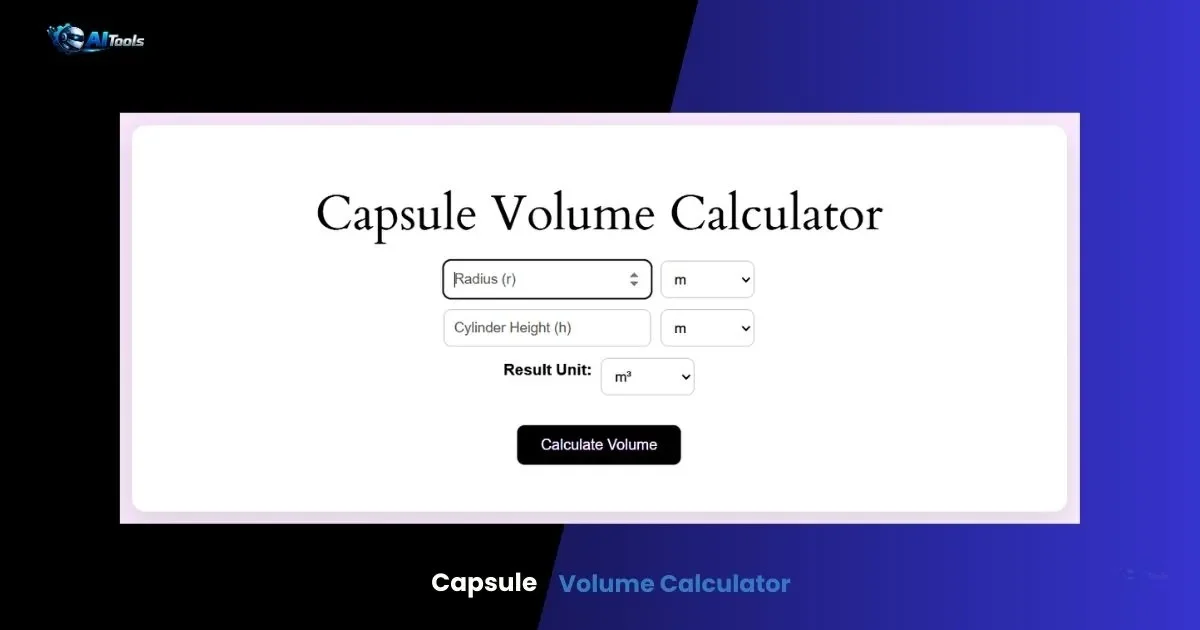
The Key Difference: Bits vs Bytes (The Factor of 8)
Here is the single most important fact:
1 MBps = 8 Mbps
Or, reversed:
1 Mbps = 0.125 MBps
This 8× difference is why a 100 Mbps connection rarely shows 100 MB/s downloads. The theoretical maximum download speed on a 100 Mbps plan is only 12.5 MB/s.
| Internet Plan (Mbps) | Theoretical Max Download (MB/s) | Common Real-World (MB/s) |
|---|---|---|
| 50 Mbps | 6.25 MB/s | 5–6 MB/s |
| 100 Mbps | 12.5 MB/s | 10–12 MB/s |
| 200 Mbps | 25 MB/s | 20–24 MB/s |
| 300 Mbps | 37.5 MB/s | 30–35 MB/s |
| 500 Mbps | 62.5 MB/s | 50–60 MB/s |
| 1 Gbps (1000 Mbps) | 125 MB/s | 90–120 MB/s |
Real-world speeds are always lower due to overhead (TCP/IP headers, network congestion, Wi-Fi interference, server limits, etc.).
How to Convert Mbps to MBps (and Vice Versa)
The math is simple:
To convert Mbps → MB/s: Divide by 8
To convert MB/s → Mbps: Multiply by 8
Examples:
- 400 Mbps ÷ 8 = 50 MB/s
- 25 MB/s × 8 = 200 Mbps
- 1 Gbps (1000 Mbps) ÷ 8 = 125 MB/s
Quick mental trick: Move the decimal point one place to the left for Mbps → MB/s.
Many online speed test tools (Speedtest by Ookla, Fast.com, Google Speed Test) now show both units to avoid confusion.
Why Do Internet Providers Use Mbps Instead of MBps?
The honest answer: It makes the numbers look bigger.
100 Mbps sounds much more impressive than “12.5 MB/s.” Marketing departments have used this for decades. It’s not false advertising — the speed is technically correct — but it does rely on most consumers not knowing the bit/byte difference.
The practice is industry-standard and regulated (ISPs must disclose it in fine print), but it still catches many people off guard.
Real-World Impact: What Different Speeds Actually Feel Like
Downloading Files
- A 10 GB game (e.g., Call of Duty update):
- On 100 Mbps (~12 MB/s): ~13–15 minutes
- On 500 Mbps (~60 MB/s): ~2–3 minutes
- On 1 Gbps (~100–120 MB/s): ~90 seconds
Streaming Video
Netflix recommended speeds (in Mbps):
- SD: 3 Mbps
- HD: 5 Mbps
- 4K HDR: 15–25 Mbps
Even a modest 50 Mbps plan can comfortably stream 4K to multiple devices simultaneously.
Online Gaming
Most competitive games need only:
- 3–6 Mbps download
- 1–2 Mbps upload
- Low ping (<50 ms) matters far more than raw speed
Video Calls & Remote Work
- Zoom 1080p group call: 3.8 Mbps up / 3.0 Mbps down
- Microsoft Teams 4K: ~10 Mbps
Multiple Devices & Smart Homes
A household with 10–20 devices (phones, tablets, smart TVs, security cameras, IoT gadgets) benefits from 200–500 Mbps plans.
Future-Proofing: 8K, VR, Cloud Gaming
Emerging technologies like 8K streaming (50+ Mbps per stream), cloud gaming (Stadia, GeForce Now, Xbox Cloud — 35–50 Mbps recommended), and heavy cloud backups push demand toward gigabit internet.
Common Misconceptions About Internet Speed
- “My plan is 300 Mbps, but Speedtest only shows 30 MB/s — I’m being throttled!”
→ No, 300 Mbps = 37.5 MB/s max. 30 MB/s is actually excellent performance. - “Wi-Fi speed should match my plan exactly.”
→ Wi-Fi adds overhead and interference. Even on a 1 Gbps fiber plan, Wi-Fi 6 devices typically max out around 600–900 Mbps. - “Upload speed doesn’t matter.”
→ It does for cloud backups, video calls, live streaming, and sending large files. - “All gigabit plans are the same.”
→ Fiber optic gigabit is symmetrical (1 Gbps up & down) and reliable. Cable gigabit is often 1 Gbps down / 35–50 Mbps up.
How to Test Your Internet Speed Accurately
- Use a wired Ethernet connection for the most accurate result.
- Close all other apps and devices.
- Run multiple tests at different times of day.
- Trusted tools:
- Speedtest.net (shows both Mbps and MB/s)
- Fast.com (Netflix’s tool — very simple)
- Google “speed test”
If results are consistently far below your plan, contact your ISP.
Choosing the Right Broadband Plan in 2026
- 25–50 Mbps: Basic browsing, email, SD streaming (1–2 users)
- 100–200 Mbps: HD/4K streaming, casual gaming, WFH (3–5 users)
- 300–500 Mbps: Multiple 4K streams, large downloads, smart homes (5–10 users)
- 1 Gbps+: Heavy users, 8K, cloud gaming, 10+ devices, future-proofing
Consider symmetry (fiber vs cable), data caps, and reliability alongside raw speed.
Frequently Asked Questions (FAQs)- mbps vs mb/s
What is the difference between Mbps and MBps?
Mbps measures megabits per second (internet plan speed), while MBps measures megabytes per second (actual file transfer rate). There are 8 bits in a byte, so 1 MBps = 8 Mbps.
How many MB/s is 100 Mbps?
100 Mbps ÷ 8 = 12.5 MB/s theoretical maximum. Real-world: 10–12 MB/s.
Is 100 Mbps fast enough in 2026?
Yes — more than enough for 4K streaming, gaming, and remote work for most households.
What is a good internet speed for streaming?
Netflix 4K needs 15–25 Mbps per stream. 100–200 Mbps comfortably handles multiple 4K streams.
Why is my download speed shown in MB/s but my plan in Mbps?
Download managers show usable data rate (bytes), while ISPs advertise raw bandwidth (bits).
How do I convert Mbps to MBps?
Divide the Mbps number by 8.
Is 500 Mbps worth it?
Yes if you have many devices, stream 4K to several TVs, download large files frequently, or want future-proofing.
What is faster: 1 Gbps or 1000 Mbps?
They are the same. 1 Gbps = 1000 Mbps.
Does upload speed matter?
Yes — for video calls, cloud backups, live streaming, and online gaming.
Can Wi-Fi reach full gigabit speeds?
Only with Wi-Fi 6/6E/7 routers and compatible devices in close proximity. Most real-world Wi-Fi tops out below 1 Gbps.
This guide gives you everything you need to understand internet speed units and make informed decisions about your broadband connection. Bookmark it for the next time you’re comparing plans or troubleshooting slow downloads!
(Word count: 1,512)